Ebook · PDF and EPUB · about 280 pages
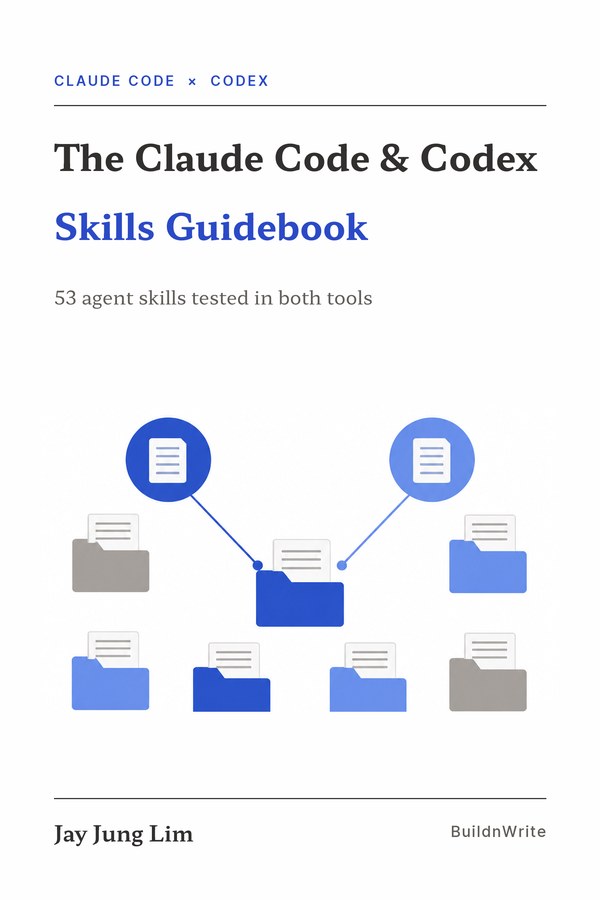
The Claude Code & Codex Skills Guidebook
53 agent skills, each tested in both Claude Code and Codex. For every skill: who it fits, the install commands for each tool, a first run, and what to watch out for.
Suggested price $29. Every future edition free. 60-day refund on Leanpub.
Why this book
Thousands of agent skills sit on GitHub. Most come with a terse README written for developers, and few tell you whether a skill fits your work before you install it. A skill that does not fit costs you an afternoon and a cluttered skills folder.
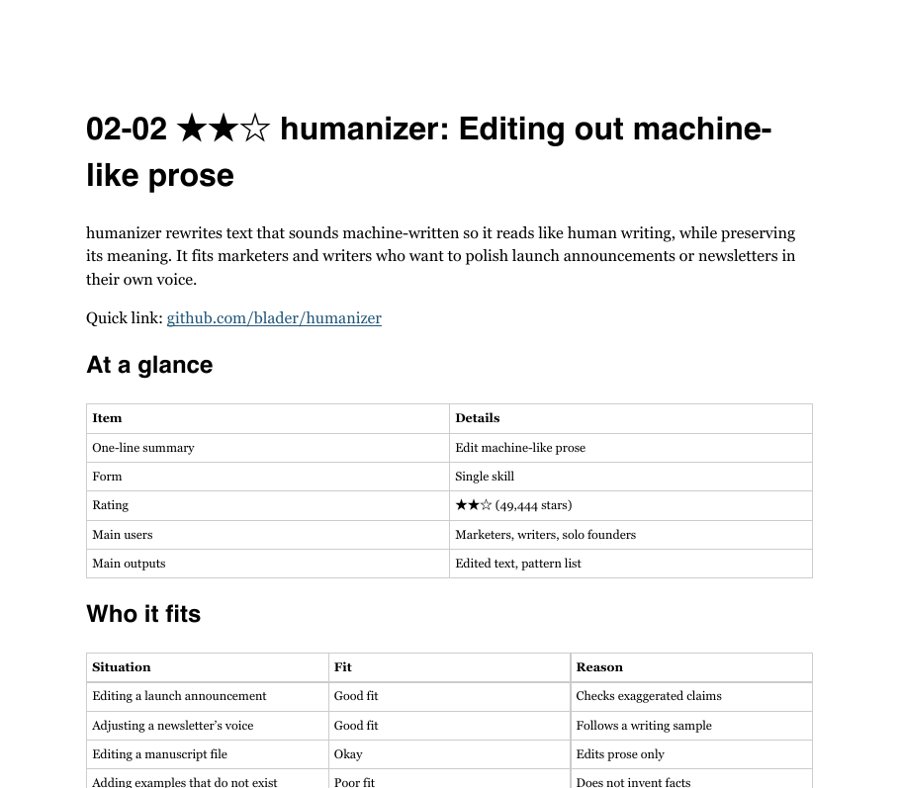
This guide does the sorting for you. Each skill was installed and run in both tools, and each chapter starts with a table of where it fits and where it does not.
What every skill chapter gives you
- Who it fits. Situations rated good fit, okay, or poor fit, with a reason for each.
- Install. The commands for Claude Code and for Codex.
- First run. What to type and what the skill does step by step.
- What makes it useful, and what to watch out for. Limits, risks, and what it will not do.
- Sources. Repository, license, and the files the chapter quotes.
The 53 skills
Grouped by the work you do. A roadmap chapter pairs them by role: planning, design, development, marketing, operations, and research.
Part 01 Business
pm-skillsProduct planning methodsdistillyTurn a person's approach into a skillwondelai/skillsFrameworks from business booksyc-office-hoursA business mentor who asks before you buildresearchResearch into a document with sourcesflow-mapFlowcharts as dated snapshotsmeeting-agendaAgendas that force options and deadlines
Part 02 Marketing
marketingskillsPractical marketing skillshumanizerEdit machine-like proseclaude-adsAudit ad accountsblog-postA production cycle for one postblog-topic-judgeScore blog topics on five axestechnical-writerWriting steps by document typecard-newsA card deck from one JSON file
Part 03 Data analysis
last30days-skillSummarize recent reactionsnature-skillsCheck figures and statistics for submissionnotebooklm-pyControl NotebookLM with commandsinsane-searchRead blocked public pagesapps-script-collectorDaily market prices into a sheet
Part 04 Design
archifyValidated architecture diagramsdiagram-design44 diagram types in brand colorshuashu-designDesign outputs in HTMLarchitecture-drawio-diagramArchitecture diagrams with large logoslecture-slide-makeEditable lecture decks from one JSON filelecture-slidesA deck workflow for recorded lectures and seminarsnotebooklm-slidesImage decks from a spec
Part 05 Development
superpowersFrom design through mergeagent-skillsProcedures for each dev stagen8n-skillsKnowledge for n8n workflowsn8n-routePick the instance, enforce build rulesn8n-workflow-builderWorkflow design and final checksn8n-debuggerTrace failures and prevent repeats
Part 06 Operations
obsidian-skillsWork in an Obsidian vaultgmail-searchFind email four waysemail-draftGmail drafts with your signatureadd-launchd-jobSix steps to a launchd jobnew-projectCheck names, then create a foldermarkdown-to-pdfMarkdown to PDFaside-browserEntry point for Aside CLI
Part 07 Working with agents
i-have-adhdAction first, numbered stepsgrillingTest plans with questionsplanPlan, cross-review, wait for approvalplanning-with-filesPlans that survive interruptionssession-wrapCommit and hand off before you stopskill-creatorWrite and evaluate skillsskill-recorderTurn recorded work into a skillSkillSpectorSecurity check before install
Part 08 Vibe coding
gstackDevelopment commands by roletaste-skillRules against generic screensponytailRules for writing less codeui-ux-pro-maxIndustry-specific design rulesUnderstand-AnythingA knowledge graph of your codebaseopen-code-reviewReview changed code automatically
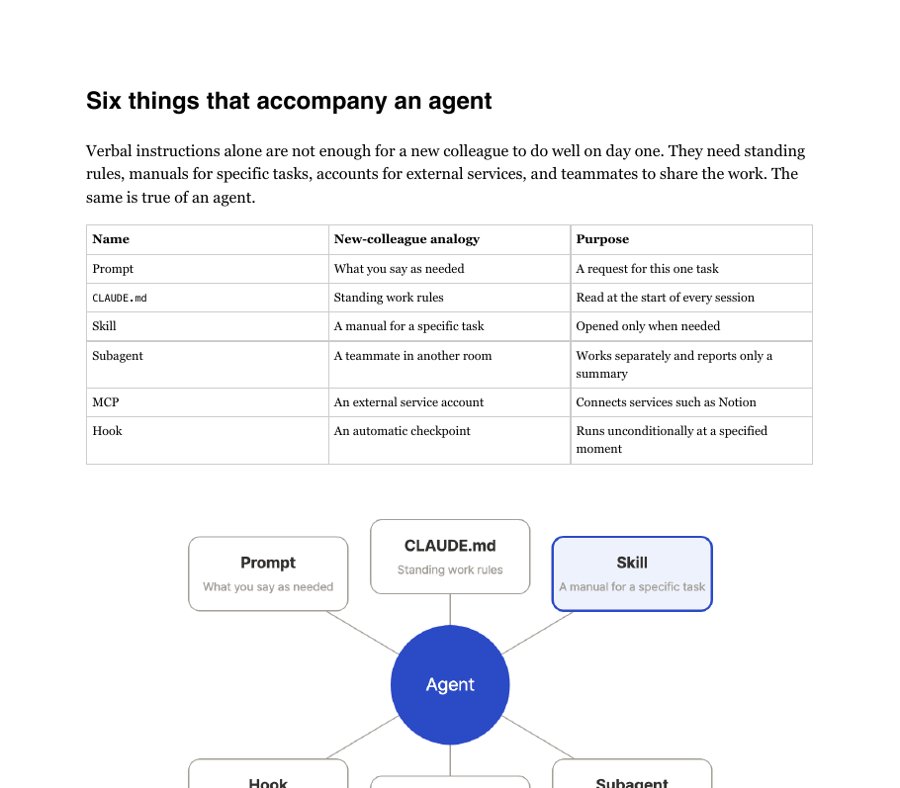
Plus foundation chapters: what agents, skills, subagents, MCP, and hooks are; how each tool finds and loads a SKILL.md; the spec differences; and how to share one skill folder between both tools.
Is it for you?
Good fit
- You use Claude Code or Codex and repeat the same instructions every session.
- You are a developer, indie hacker, or solo founder looking for skills that pay off this week.
- You switch between both tools and want one skill folder that works in each.
Not a fit
- You want a general prompt-writing guide.
- You need install help for plans and billing of the two products.
- You only use chat apps and never open a terminal.

About the author
20+ organizations trained6,000+ Claude sessions1,000+ Codex sessions70 skills in daily use
Jay Jung Lim is the founder of BuildnWrite, a Seoul-based studio for AI agent coaching and corporate AI training. Since 2023 Jay has trained teams at more than 20 organizations and coauthored n8n Does It All (Hanbit Media, 2026). Jay uses 70 skills in daily work and logged more than 6,000 Claude sessions and 1,000 Codex sessions while building this book.
Questions
- What formats do I get?
- PDF and EPUB, about 280 pages. Read them on a laptop, tablet, or e-reader.
- Do I need to know how to code?
- No. You need Claude Code or Codex installed and you need to paste commands into a terminal. If you have never installed either tool, the chapter "Getting started with Claude Code and Codex" walks you through it.
- Which versions does it cover?
- Claude Code v2.1.273 and Codex v0.153.4, on macOS. On Windows, the same commands work in WSL2.
- What about updates?
- Both tools change fast, so the book is revised as skills and tools change. On Leanpub, every buyer gets each new edition free.
- Can I get a refund?
- Leanpub offers a 100% refund within 60 days of purchase.
- Is this an official Anthropic or OpenAI book?
- No. It is an independent guide by BuildnWrite. Product names belong to their owners.
Get the book
PDF and EPUB, about 280 pages. Pay what you want from $19 (suggested $29). Every future edition free.
Not useful to you? Leanpub refunds 100% within 60 days.